2026 Tax Tables will be available for download on January 15, 2026. The 2025 W2 software will be available for download at the same time as the 2026 Tax Tables. This article will be continually updated with more information.
Effective immediately, the annual maintenance package for Procare Desktop customers on a non-hosted (local) version of Procare will no longer be available. 2026 Tax Tables and 2025 W2/1099 forms will also not be made available. Customers must move to a hosted (Cloud) version of Procare to continue accessing these items.
Customers who purchased a 2025 annual maintenance plan will continue to receive product updates and support through December 31, 2025.
This article is intended for persons who have previously downloaded tax tables and now need updated tax formulas for the new year. Payroll tax tables include formulas for federal income tax, FICA – Social Security, FICA – Medicare, and state income tax tables. You must manually update FUTA & SUTA rates separately.
Download New Tax Tables
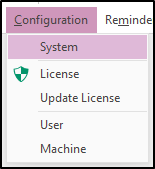
- From the Procare Home screen click Configuration > System.
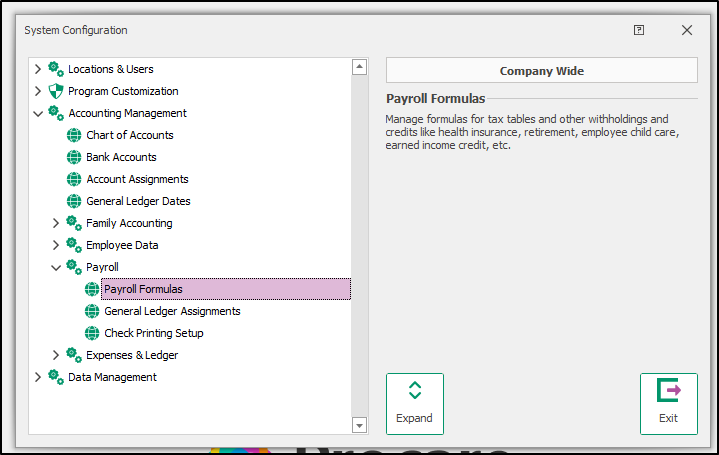
- Go to Accounting Management > Payroll > double-click Payroll Formulas.
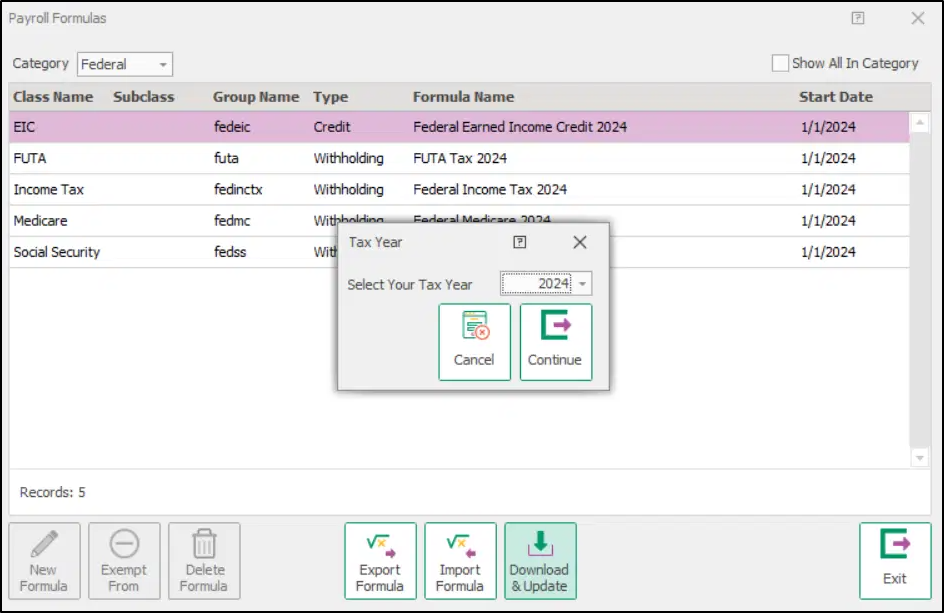
- Click Download & Update at the Payroll Formulas screen (bottom center).

- Choose a year for which you wish to Import Tax Tables, then click Continue.
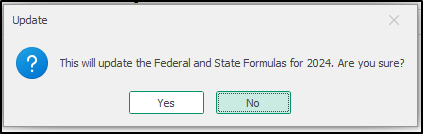
- Confirm that you wish to install tax tables for the selected year.
Your tax tables are now up-to-date.
Can’t Download Tables?
In some cases you may get a message saying: Online File Not Available or Unable to Download. This can happen if you are not online, or if the tax tables are not available on the Procare site. For example, tax tables for the new year are typically not available until early January.
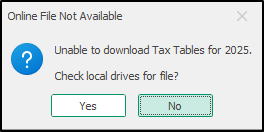
Generally you’ll answer “No” to the message. Searching local drives is only useful in very specific circumstances.
Please reach out to customer support if you are unable to update your tax tables.
Annual Maintenance Subscription
For local customers with an active annual maintenance plan, tax tables are included as part of your package. If your plan is inactive, you will receive the following message.
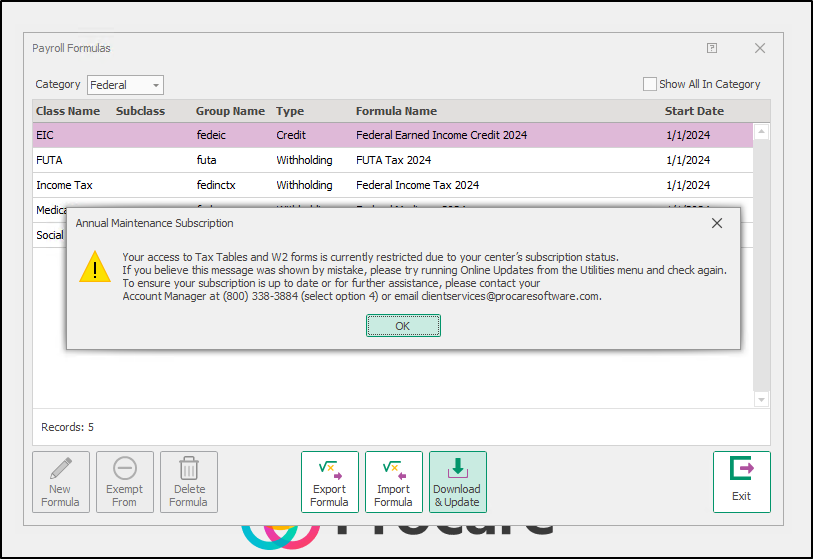
Please attempt an online update before reaching out to your account manager. Sometimes the system may be in maintenance mode, and syncing with the server via the online update can help register your active maintenance status.
To do this, go to Procare Home > Utilities > Check for Online Update.
If you have followed the above steps and are still unable to access the updated tax tables, please contact your account manager for assistance with annual maintenance subscriptions at clientservices@procaresoftware.com.
Additional Information
The following information is effective January 15, 2026, and will be updated accordingly.
Updated for 2026
- Arizona
- Arkansas
- California
- Colorado
- Connecticut
- Georgia
- Hawaii
- Idaho
- Illinois
- Indiana
- Iowa
- Kentucky
- Louisiana
- Maine
- Maryland
- Massachusetts
- Michigan
- Minnesota
- Mississippi
- Missouri
- Montana
- Nebraska
- New Mexico
- New York
- North Carolina
- North Dakota
- Ohio
- Oklahoma
- Oregon
- Rhode Island
- South Carolina
- Utah
- Vermont
- Virginia
No State Income Tax
- Alaska
- Florida
- Nevada
- New Hampshire
- South Dakota
- Tennessee
- Texas
- Washington
- Wyoming
No updates or not yet released
- Alabama
- Delaware
- District of Columbia
- Kansas
- New Jersey
- Pennsylvania
- West Virginia
- Wisconsin